Every setting is extremely flexible with the ability of setting the content to send with any type of update to almost anything
1

Initialization

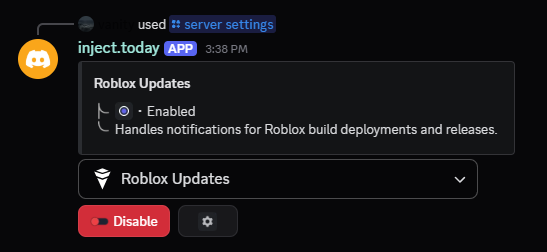
To start, you would first have to authorize the bot in your server. Next, run the /server settings command.
2

Selection

titleFrom the menu, you can select a variety of different settings to enabled. To actually received the notifications however, you would need to click the gear button.
3

Types

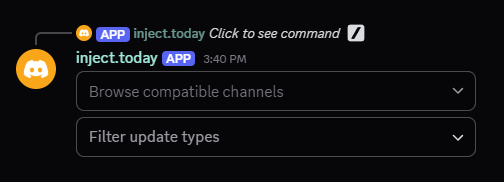
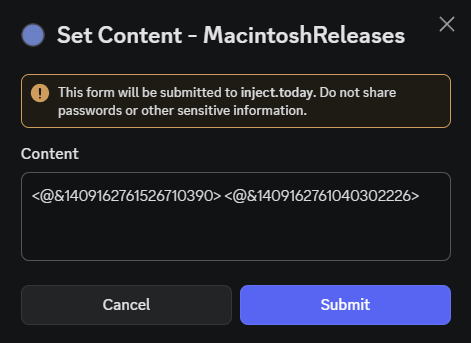
titleThe first menu is where you can select the channel the updates will be sent to. The second menu is where you can select between many other types. Upon selection of an option in the second menu, a modal should show up asking for content.
4

Flexibility

titleThis is where the flexibility part comes in play. You are able to attach any message to be sent with the selected update type as long as it does not exceed 500 characters. To disable notifications from an update type, simply leave the field blank as in remove everything from the text input.